+91 9824769936
☰
Broadcast personalized updates, offers, and announcements instantly to thousands of contacts on WhatsApp with just one click using offcial business API.
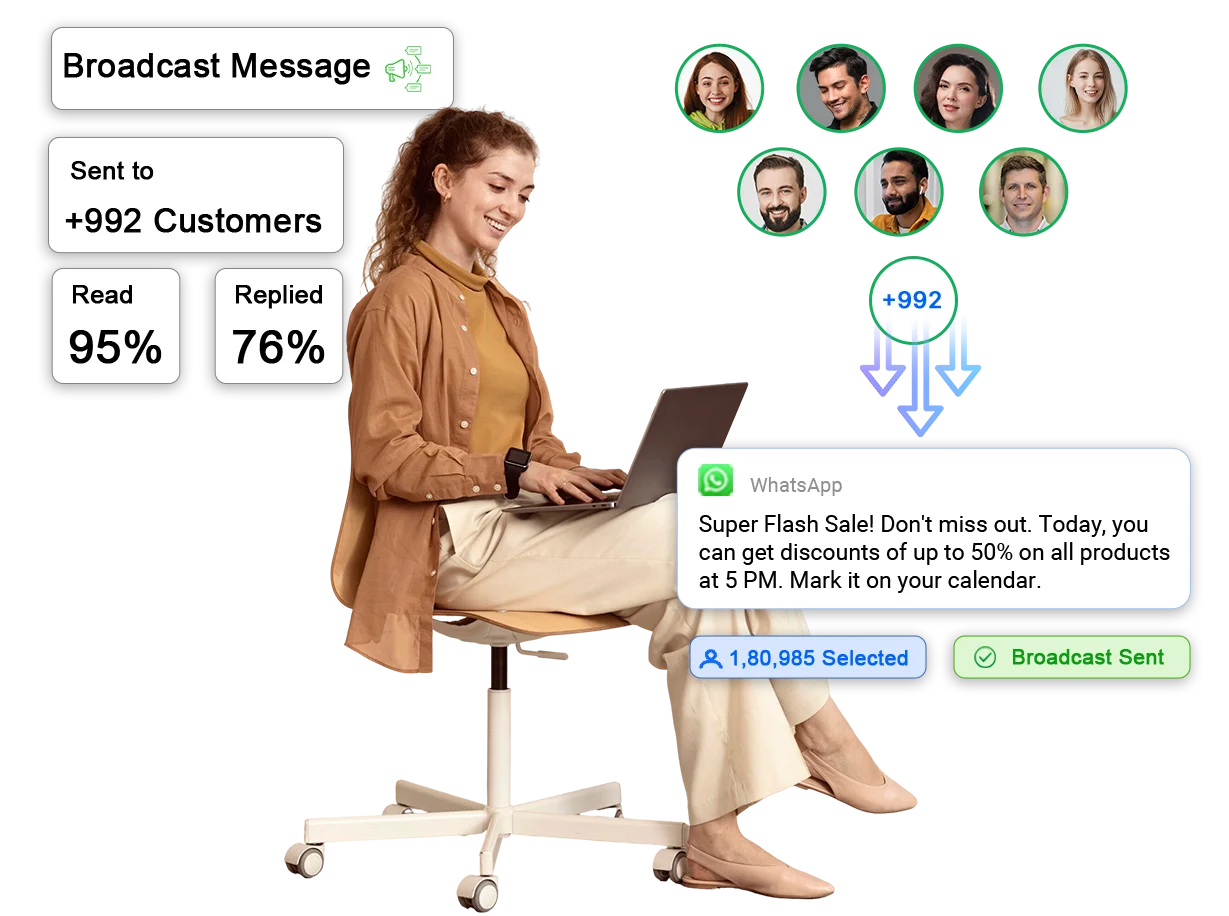
WhatsApp broadcasting is a key feature of Meta's official business API through which you can send bulk messages at once. Each recipient receives messages in their own chat, without seeing others. It is an easy and effective way to share updates, offers, or alerts.
Send messages to an unlimited number of audiences without any limitations. Reach hundreds or thousands of clients simultaneously, while saving time and maximizing your campaign reach.
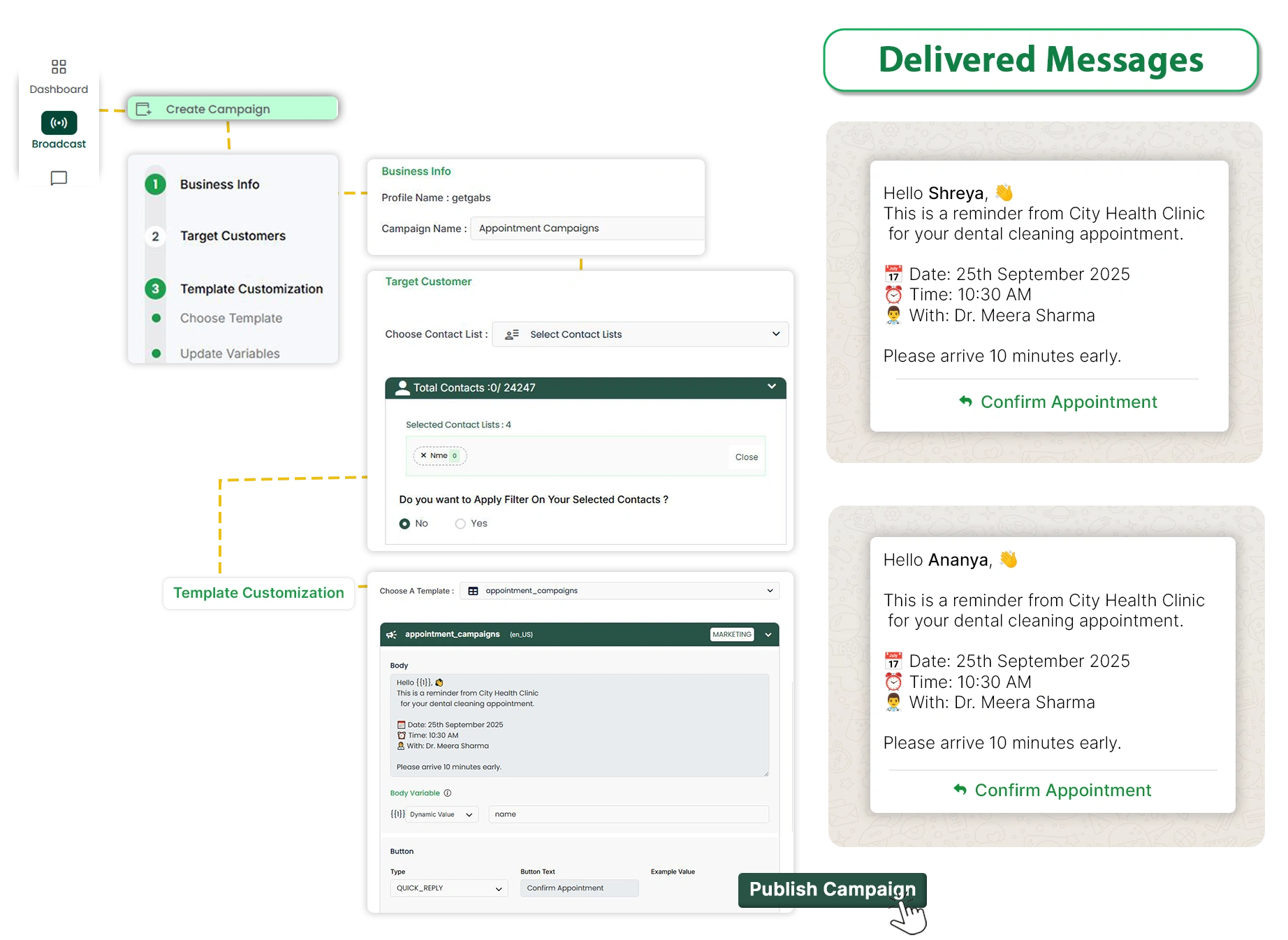
Utilize your pre-approved templates to make sure your broadcast is delivered in real-time and complies with WhatsApp’s policies. You can even personalize them using variables for different campaigns, making the conversation more instant and stable.
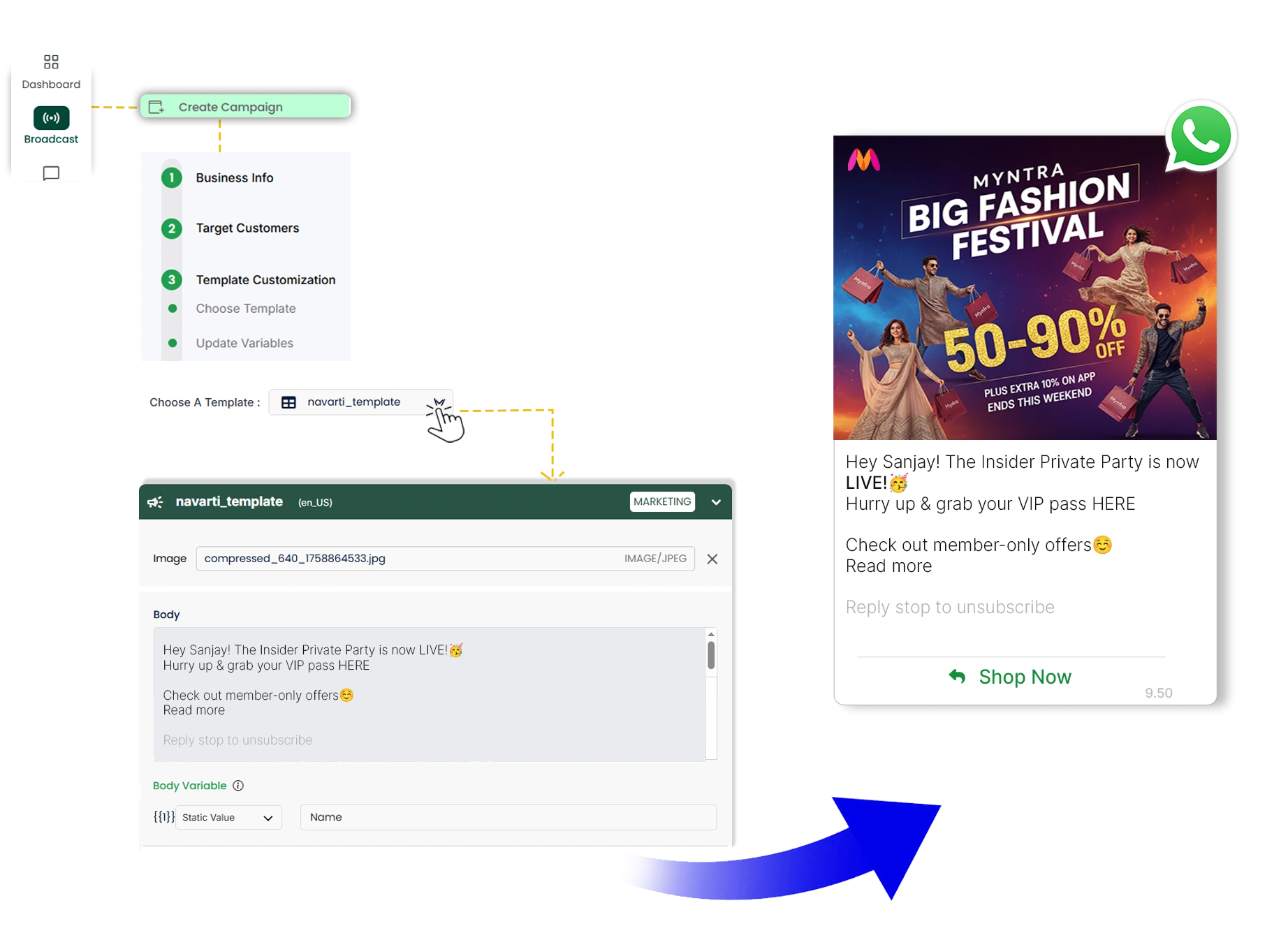
Include dynamic variables like customer name, locations, or buying history to make every broadcast unique. Customization improves engagement and builds customer relationships, even in large-scale campaigns.
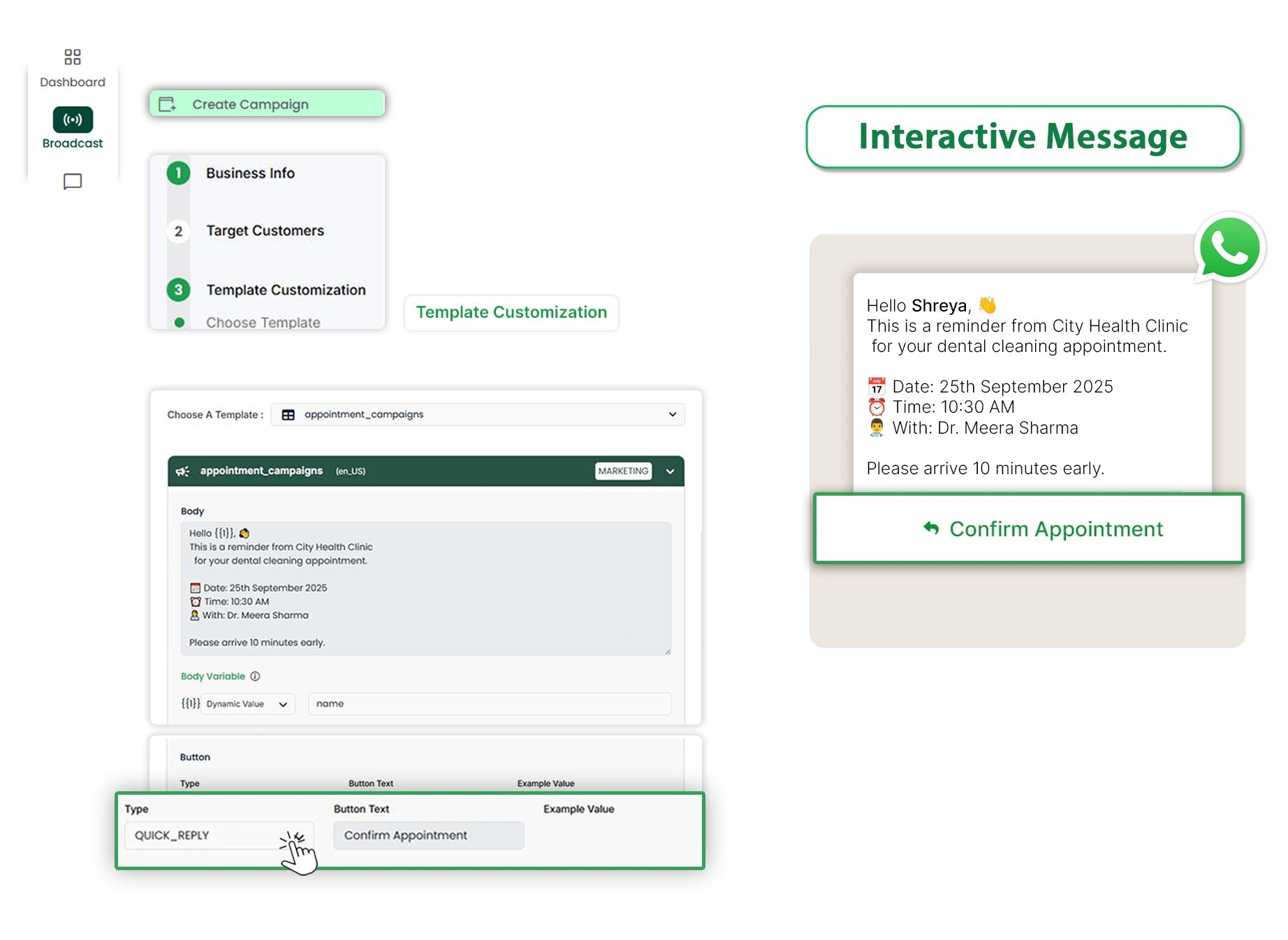
Offer a rich experience by sending messages that include images, videos, and interactive buttons. Such features make your campaigns more appealing and encourage higher click-through rates.
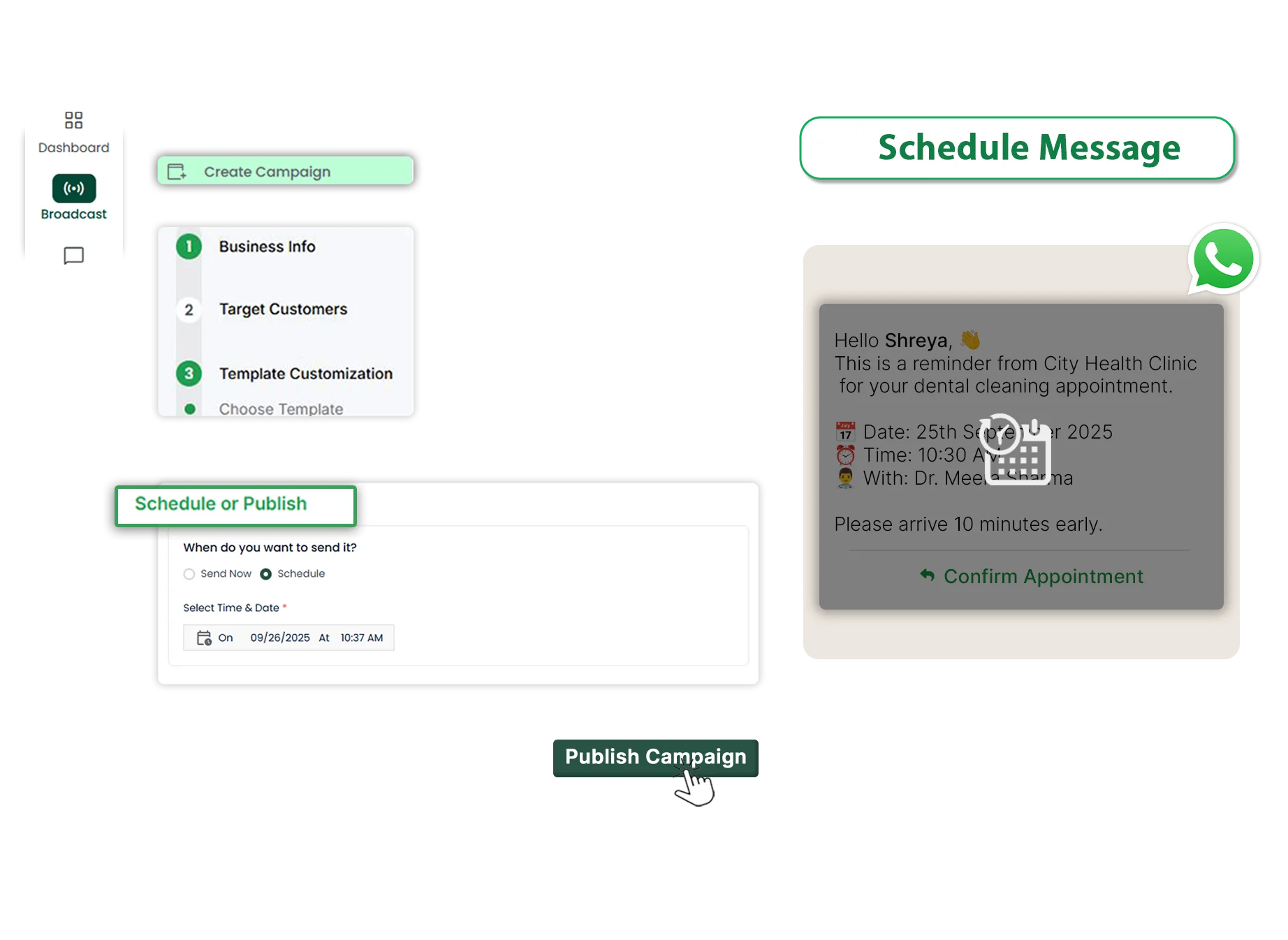
Plan and schedule the broadcast in advance to deliver messages on time. Whether it's reaching customers in different time zones or launching time-sensitive offers, scheduling guarantees maximum visibility and effect.
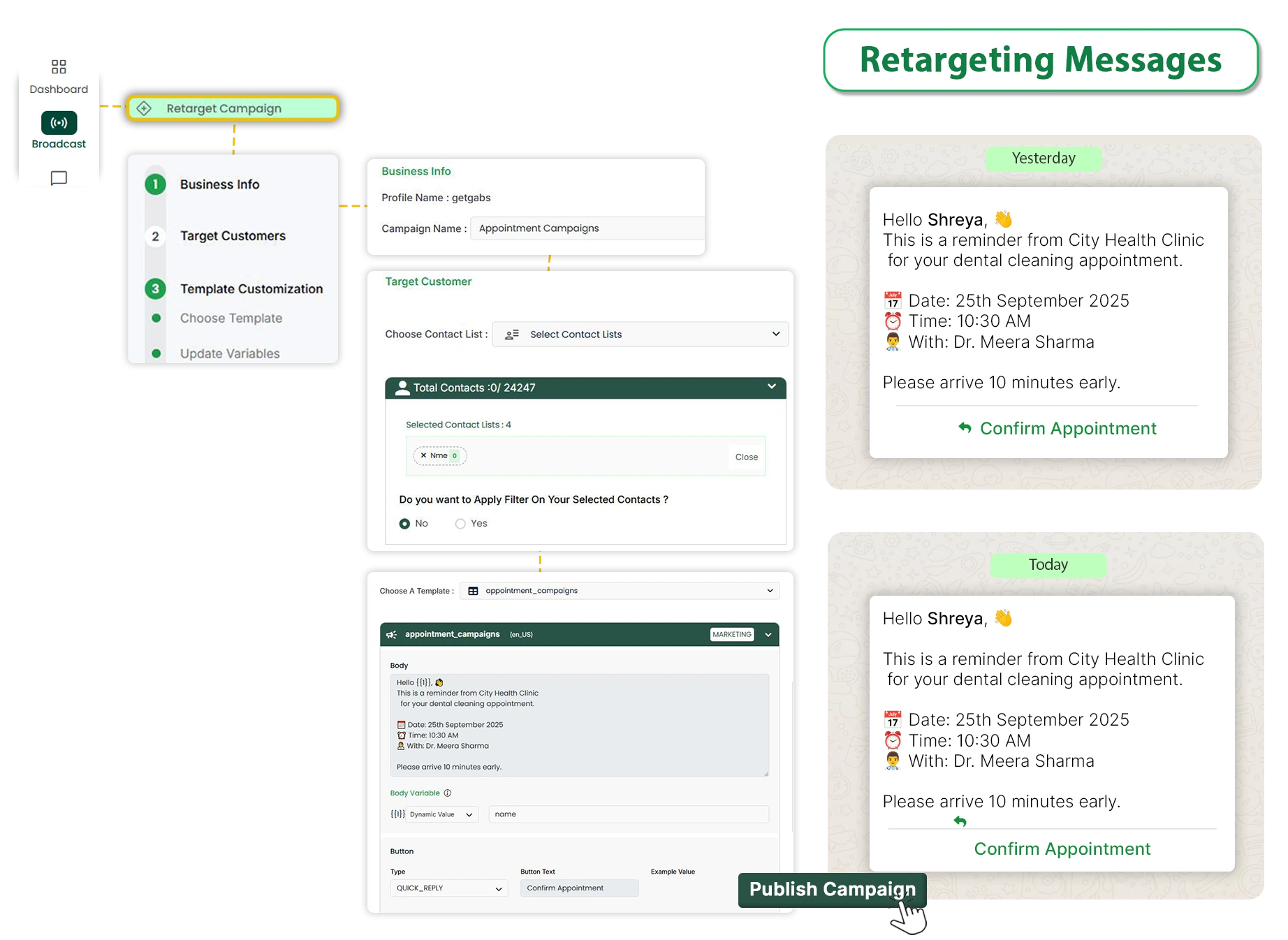
Re-engage with clients who responded to your earlier broadcasts. Retargeting enables you to send follow-up messages based on customer interest, resulting in better conversion and strengthening customer relationships.
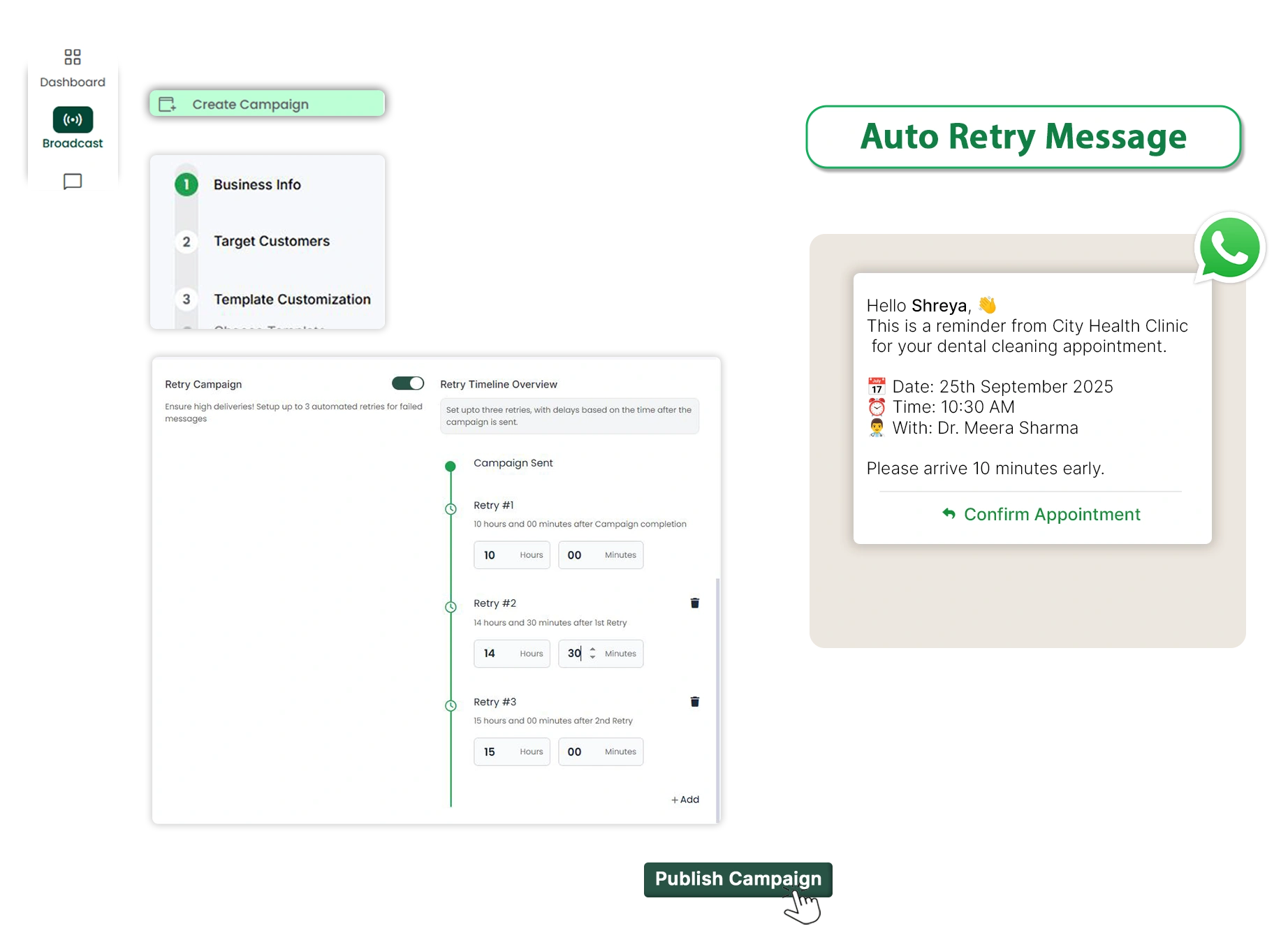
Achieve maximum delivery by automatically resending failed messages. It enhances your delivery rate, minimizes missed opportunities, and ensures that your broadcast reaches a wide audience.
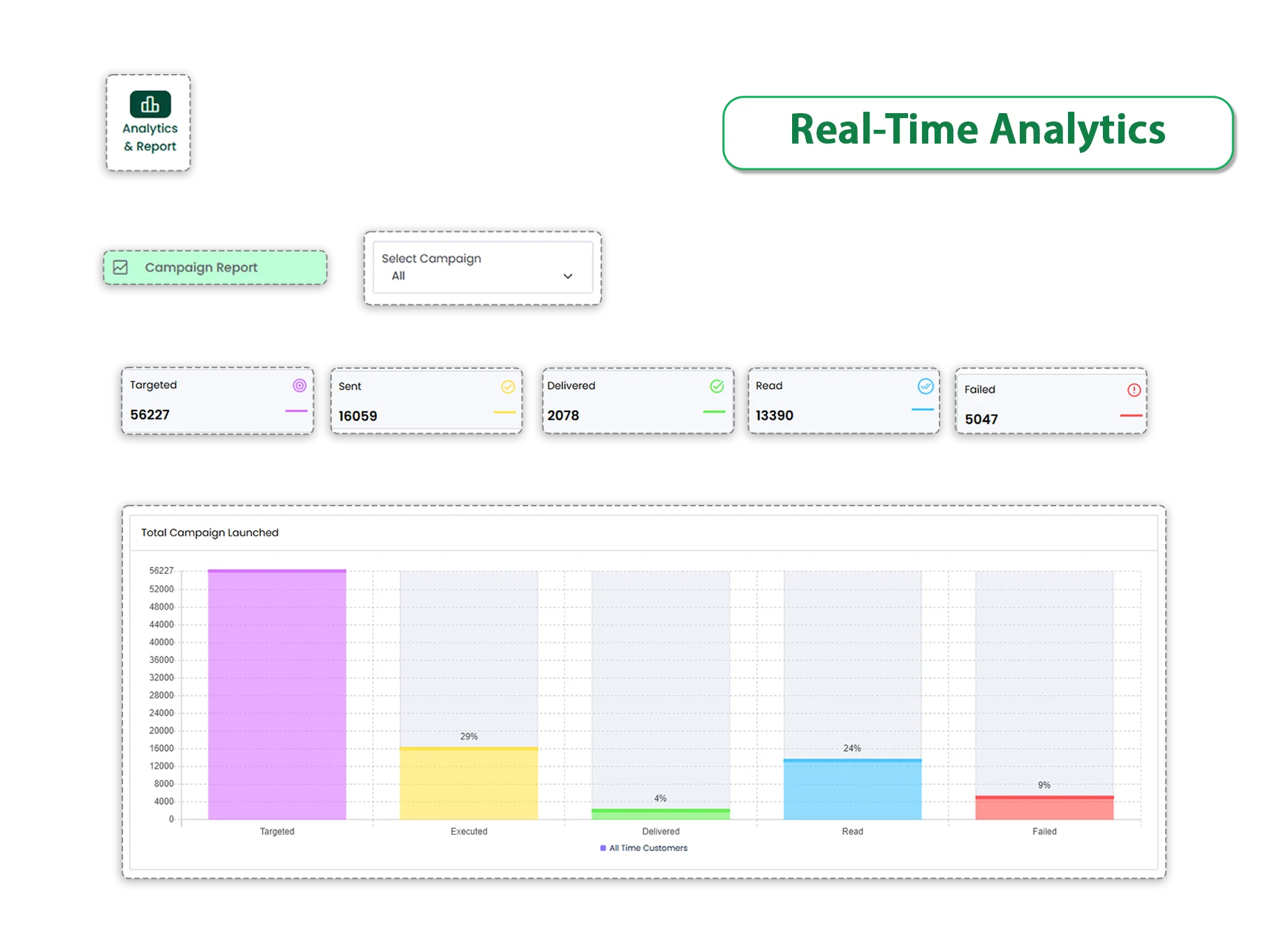
Keep track of your campaign with real-time monitoring of message delivery rate, read receipts, and click-through rate. Real-time analytics makes it easier to understand customer behaviour and helps you optimize your broadcasts for better outcomes.
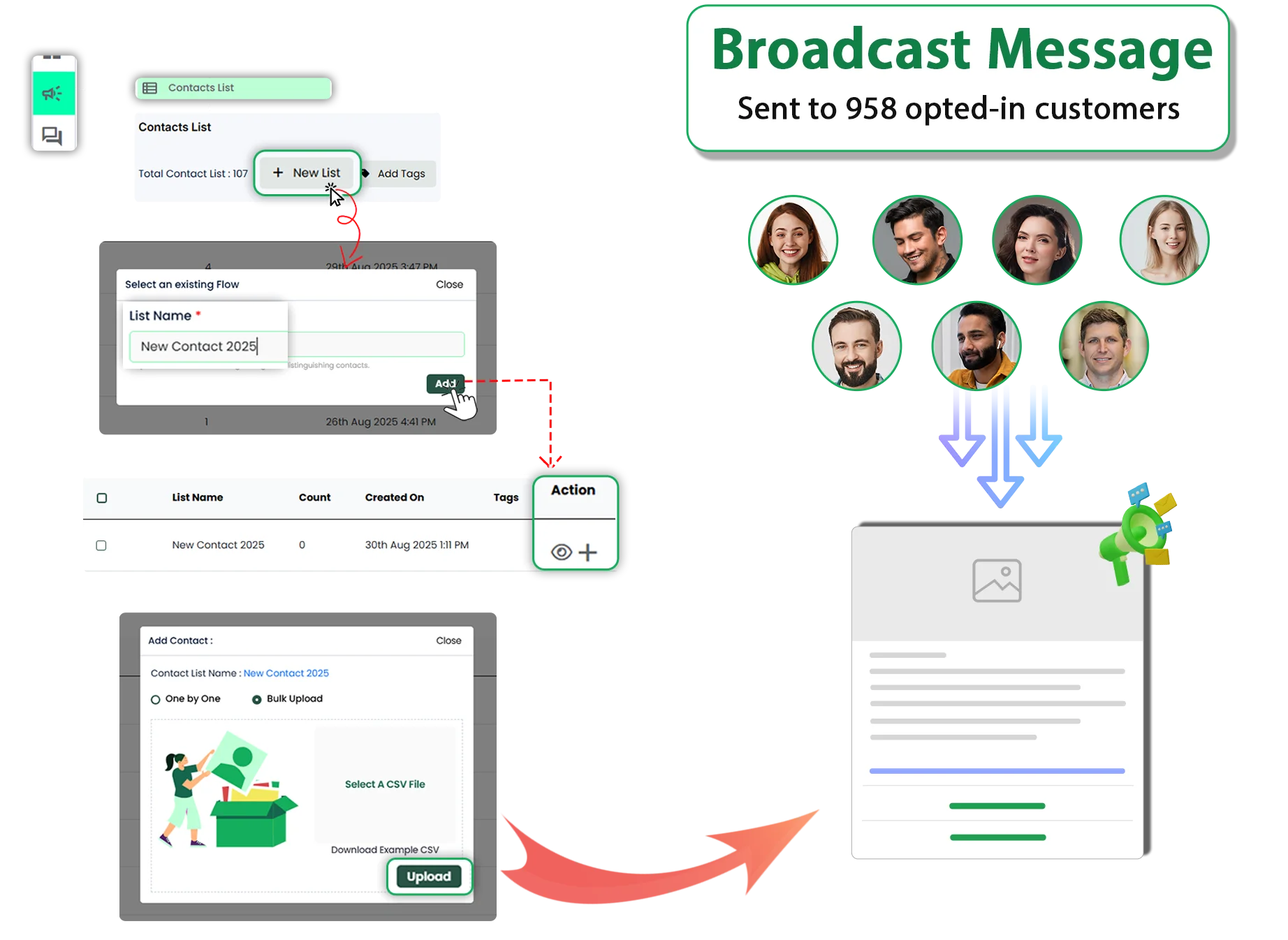
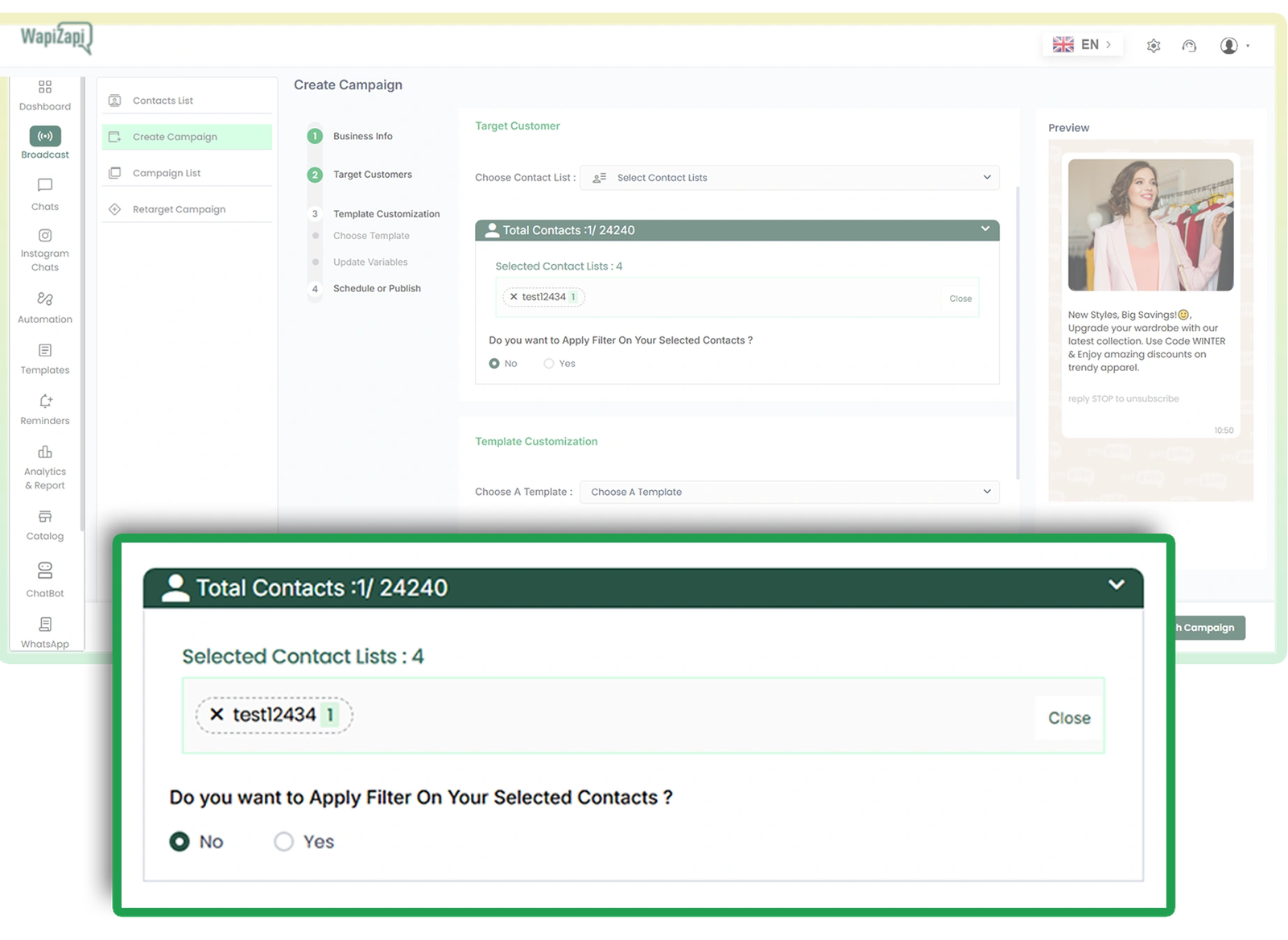
Begin by uploading a list of opted-in contacts in CSV form to WapiZapi. Categorize your audience using tags and attributes, enabling you to differentiate customers based on their interests, location, or behavior. This helps your broadcasts reach the right audiences at the right moment for maximum results.
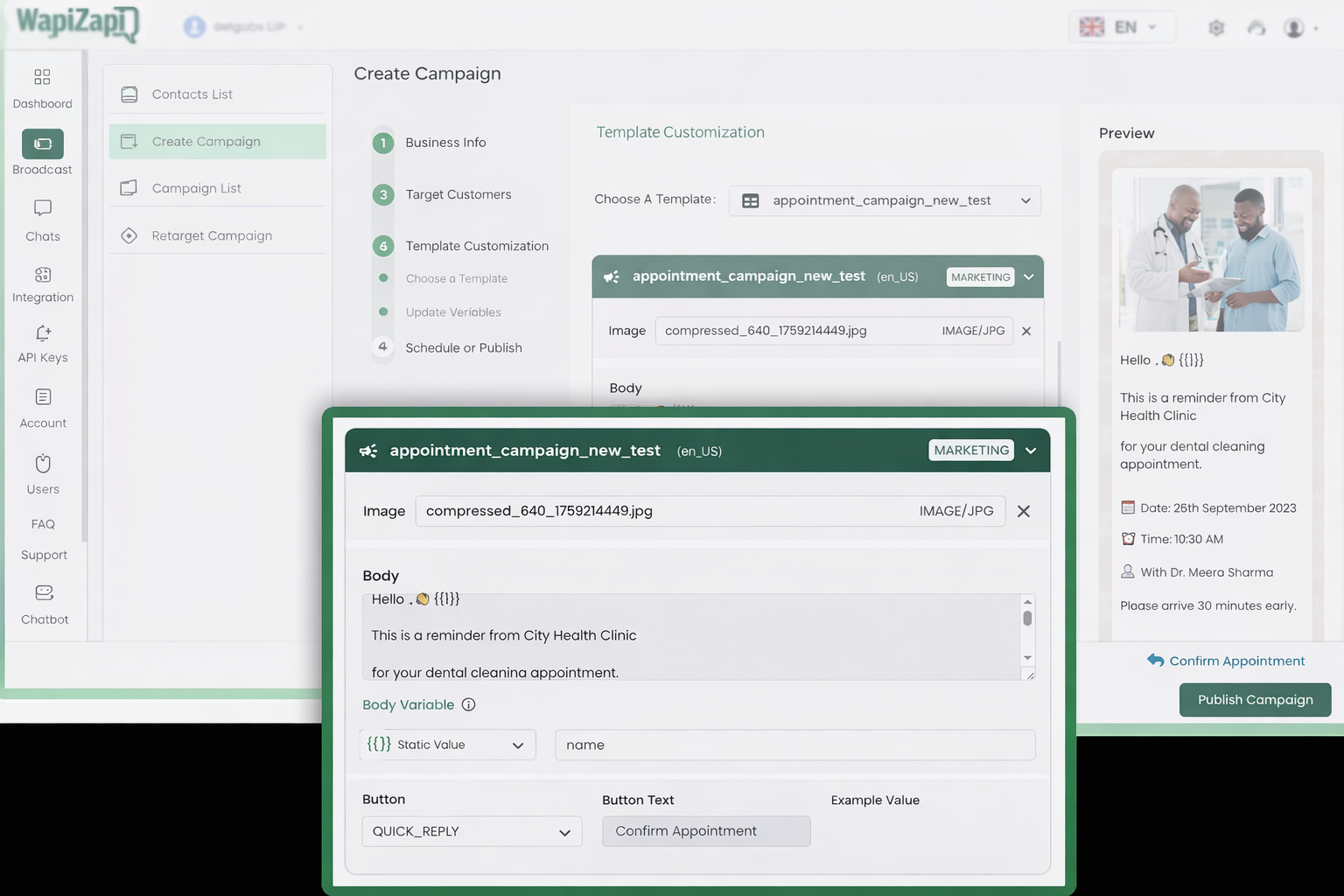
Choose a pre-approved WhatsApp message template from your library or create a new one for approval. Add personal touches to your messages by adding dynamic variables like the customer's name, location, or custom fields to make the broadcast more engaging and relevant to every recipient.
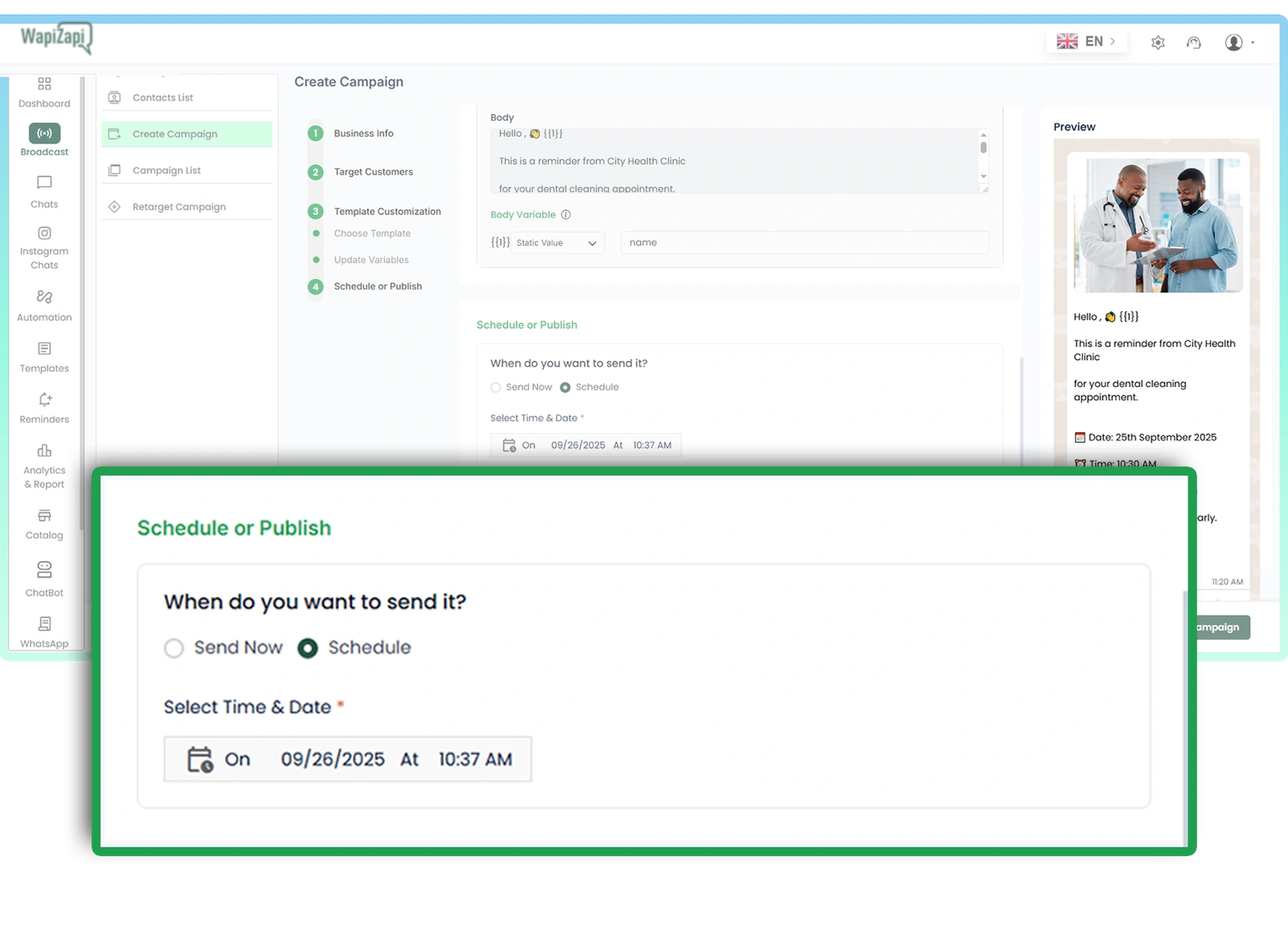
You can send your broadcast right away or schedule it for later to align with customer timing. Scheduling gives you control of delivery time while ensuring each message reaches your audience at the right time and improves engagement.
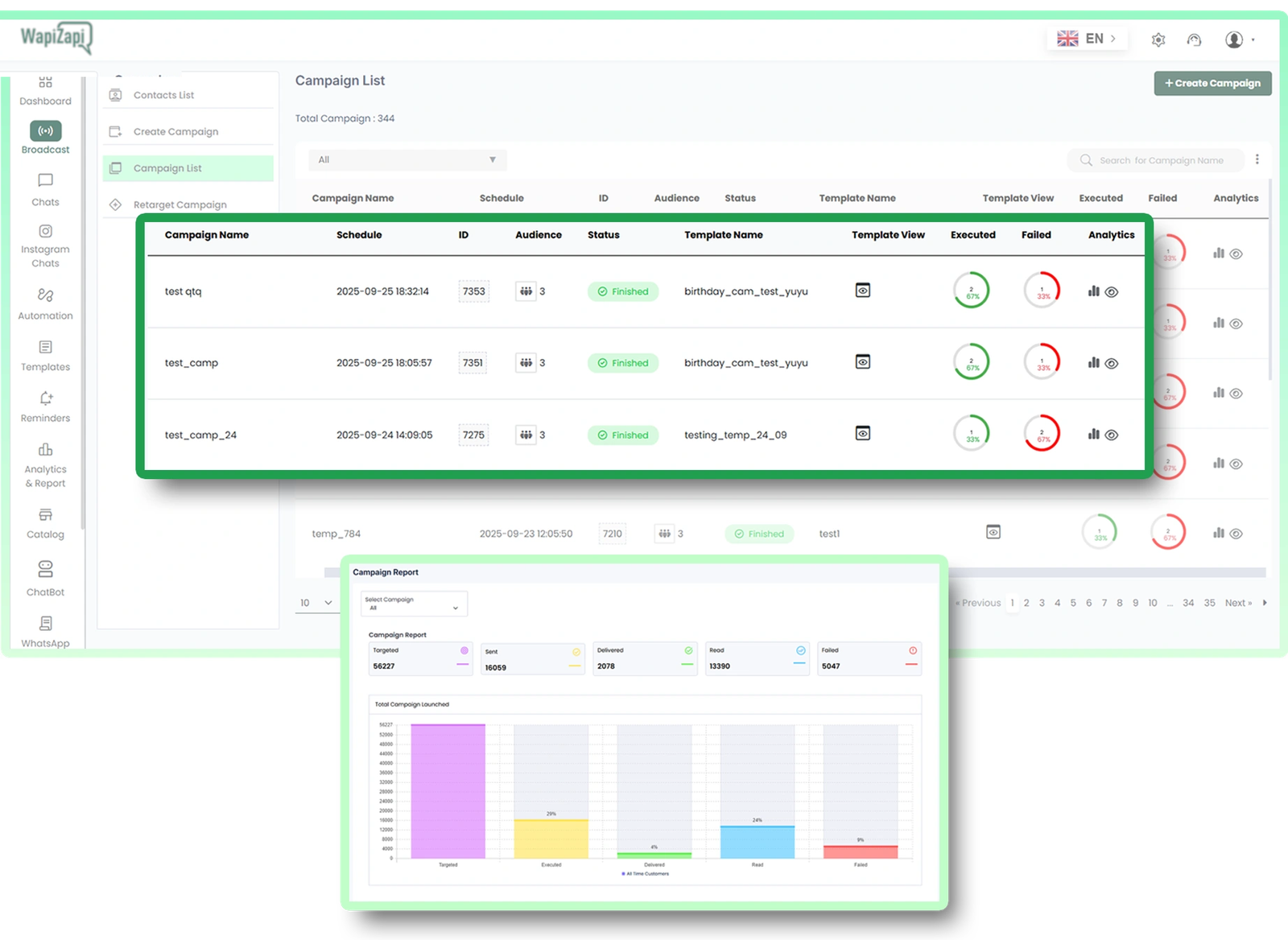
Once you send messages, it’s time to track the performance in real-time. With Getgabs, you can access detailed analytics about delivery status, click-through rate, and read receipts to measure the success and optimize the campaign for better results.
See how WhatsApp Business Platform helps businesses boost marketing, streamline sales, and improve customer support.
Reach customers instantly with high-engagement broadcasts and personalized offers.
Convert chats into sales with automated workflows, lead management, and fast follow-ups.
Provide fast, reliable customer support with instant replies and automated ticket management.